Run your whole store from one admin.

Storeloom keeps your catalogue, orders, storefront and numbers together, with an AI assistant that asks before it changes anything. Every label on this site says what works today.

  • Storeloom is in beta. Plans and their prices are being set.
  • Checkout takes cash on delivery and bank transfer. Card payments need a payment provider and are not available yet.
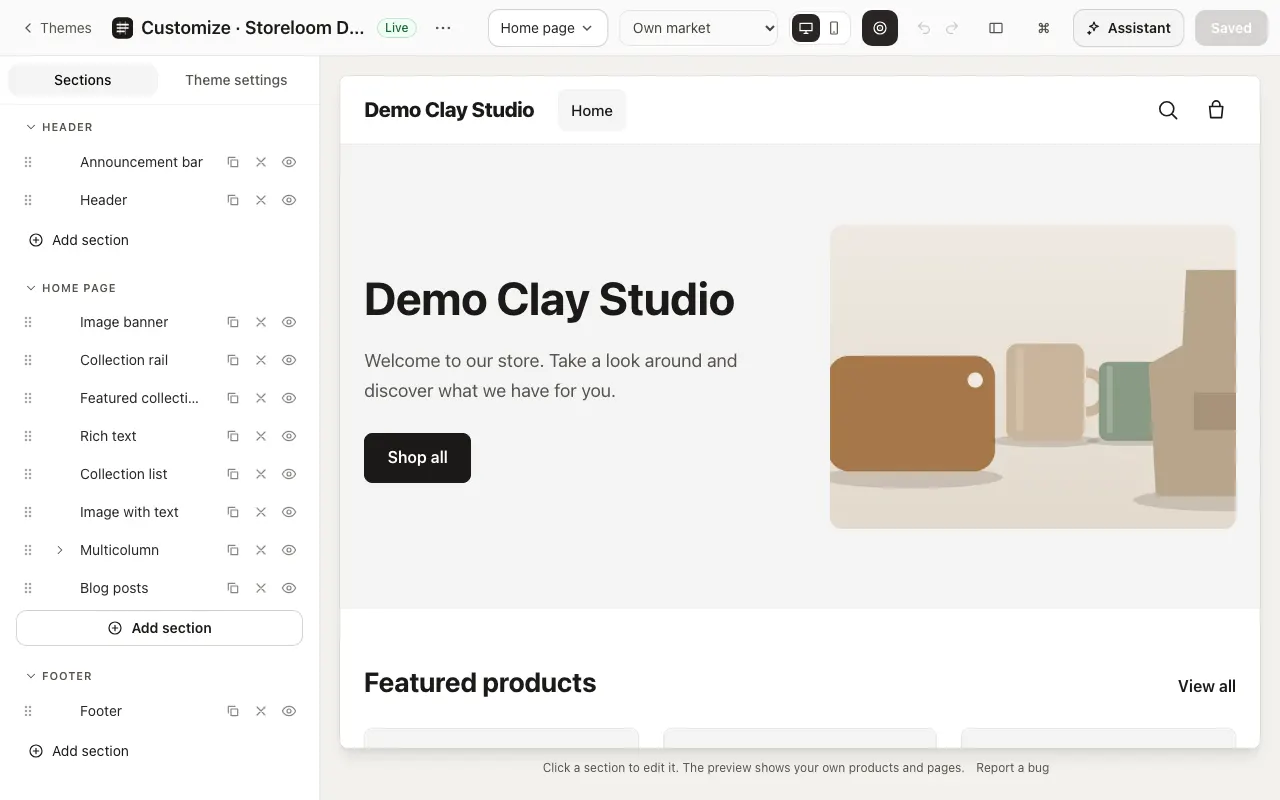
The theme editor: the home page’s sections listed on the left and the store’s preview on the right.
Storeloom admin, demo store with sample data
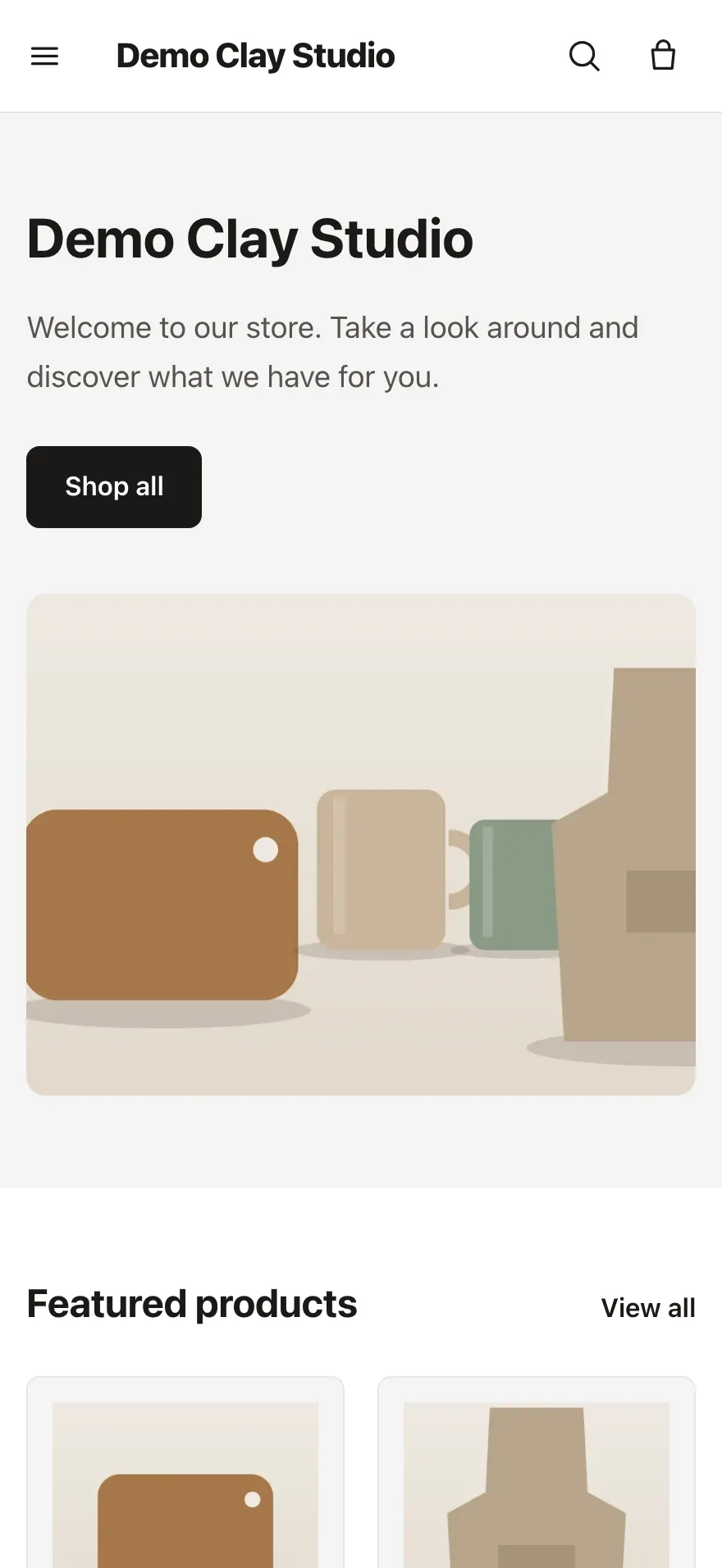
The same demo store on an iPhone: its home page with its banner and featured products.
  • Available built and tested
  • Beta built, with limits we name
  • Coming soon not built yet

Your catalogue and your orders, in one place

Products with variants, pictures and stock, bulk editing, collections that fill themselves, and orders from checkout or by hand: shipped, refunded and kept right.

  • Products with what a shop needs
  • Change many products at once
  • Collections that fill themselves

Products and orders: how it works 5 available, 1 in beta
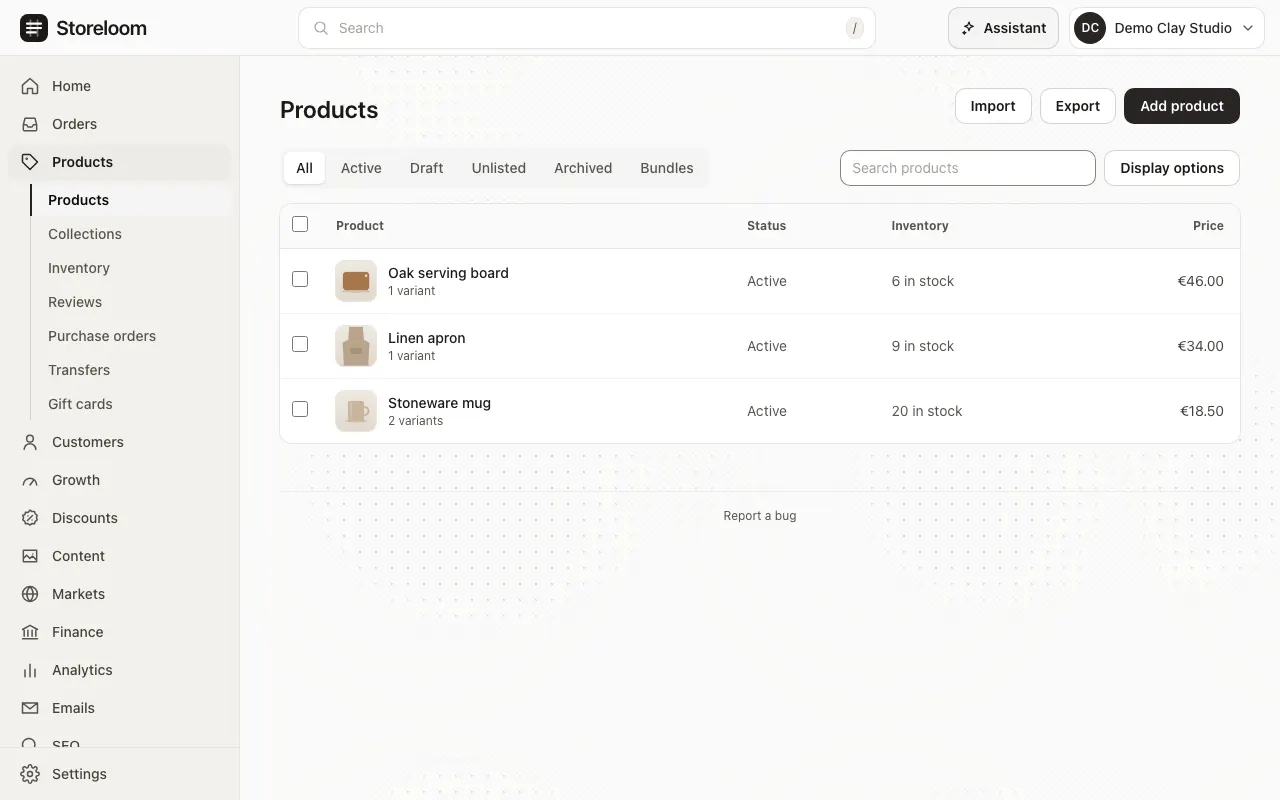
The Products list of a demo store: a stoneware mug, a linen apron and an oak serving board, each with its status, stock and price.
Storeloom admin, demo store with sample data

Edit your storefront visually, keep every version

A visual theme editor with a live preview on a computer or a phone, sections and blocks for every page, colours, type and spacing, versions you can go back to, and the code when you want it.

  • Edit beside a live preview
  • Sections for every kind of page
  • Colours, type and spacing

Theme editor and design: how it works 5 available, 1 in beta, 1 coming soon

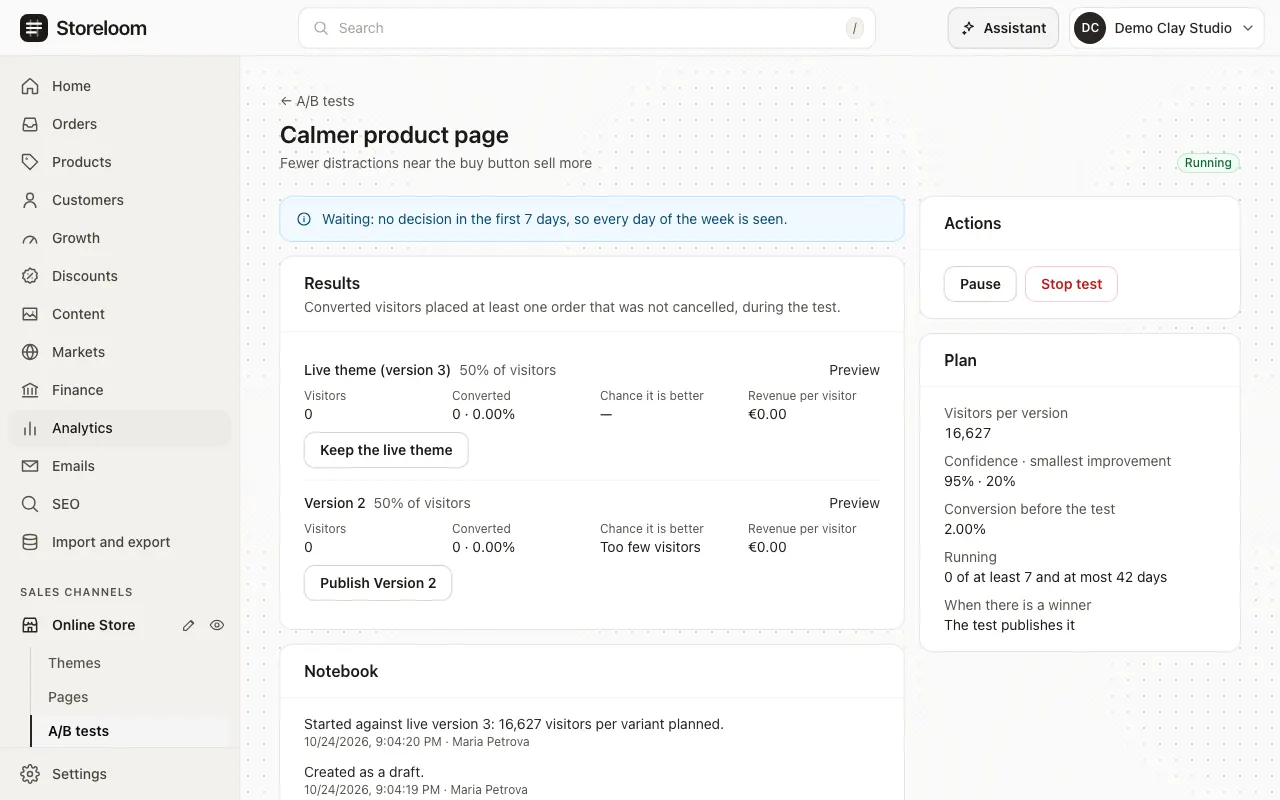
An A/B test page: the live theme and version 1 at 50 % each, with visitors, converted visitors and the chance each is better, a notice that nothing is decided in the first seven days, and the test’s plan.
Storeloom admin, demo store with sample data

An assistant that works in your admin and asks first

Ask in plain words: the assistant opens the right pages, prepares the change and waits for you to allow it. Every change can be undone, and your own Claude, ChatGPT or Codex can connect too.

  • It asks before it changes anything
  • Start from your Home page
  • Every change can be undone

The AI assistant: how it works 5 available

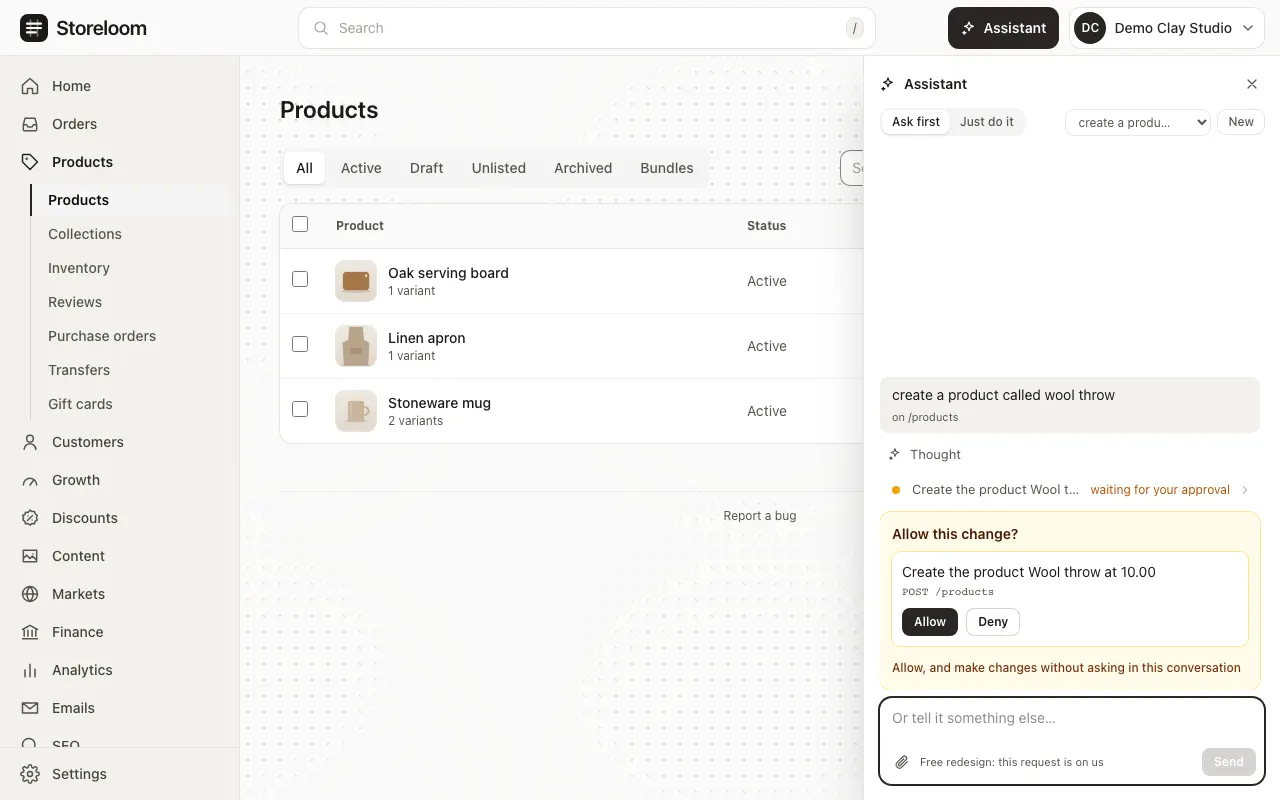
The Products page with the assistant open: asked to create a product, it waits with “Allow this change?” and the buttons Allow and Deny.
Storeloom admin, demo store with sample data

Bring your store over, and undo it if you change your mind

Move products, collections, pages, customers and orders from Shopify, WooCommerce, BigCommerce or Magento. See what the file holds before anything is imported, and undo the whole import in one step.

  • See it before anything is imported
  • Or read your old store from its address
  • Customers and orders too

Migration from Shopify: how it works 5 available, 1 in beta
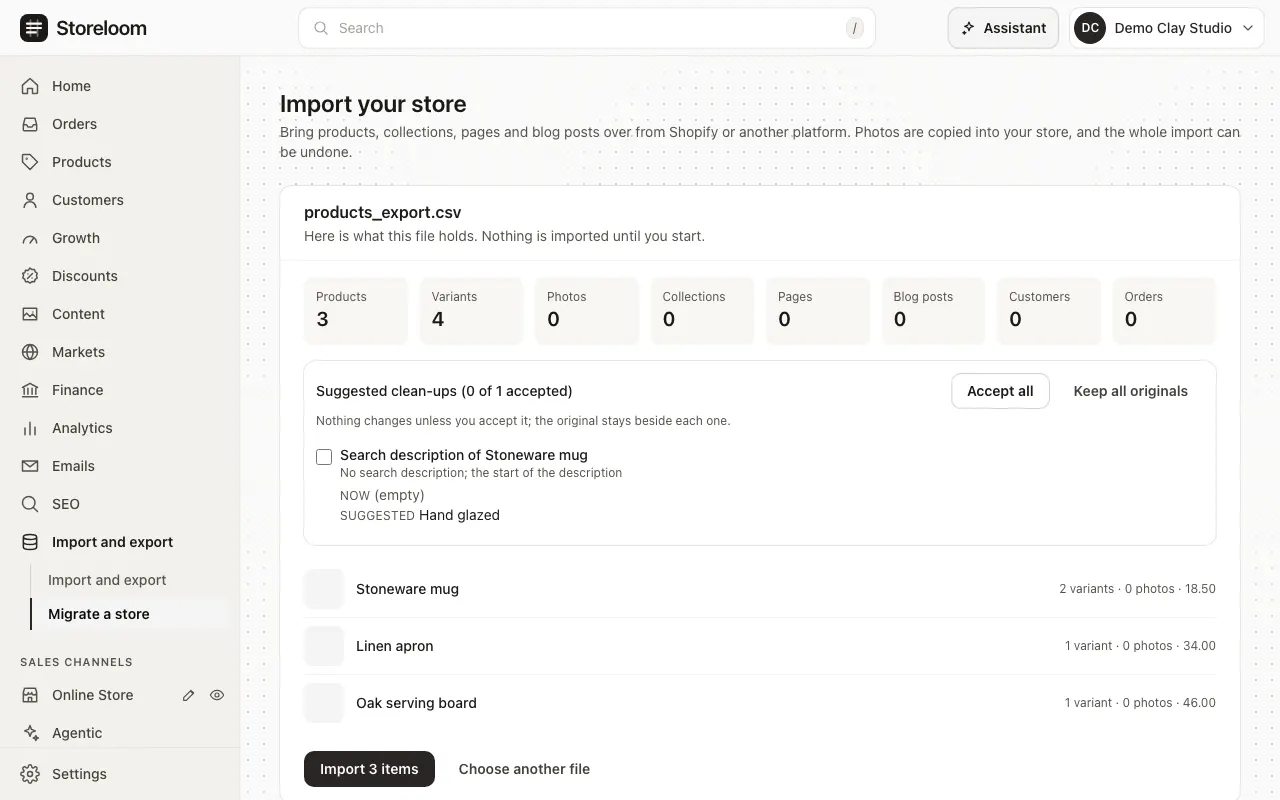
The Import page with a product export read: three products and four variants counted, one suggested clean-up, and nothing imported yet.
Storeloom admin, demo store with sample data

Sell to other countries, in their currency and language

Markets with their own currency and prices, your store in other languages with AI translation, VAT for each country and reverse charge for EU businesses, and a domain or folder per market.

  • Markets in their own currency
  • Your store in other languages
  • Translate with AI

Markets and languages: how it works 5 available

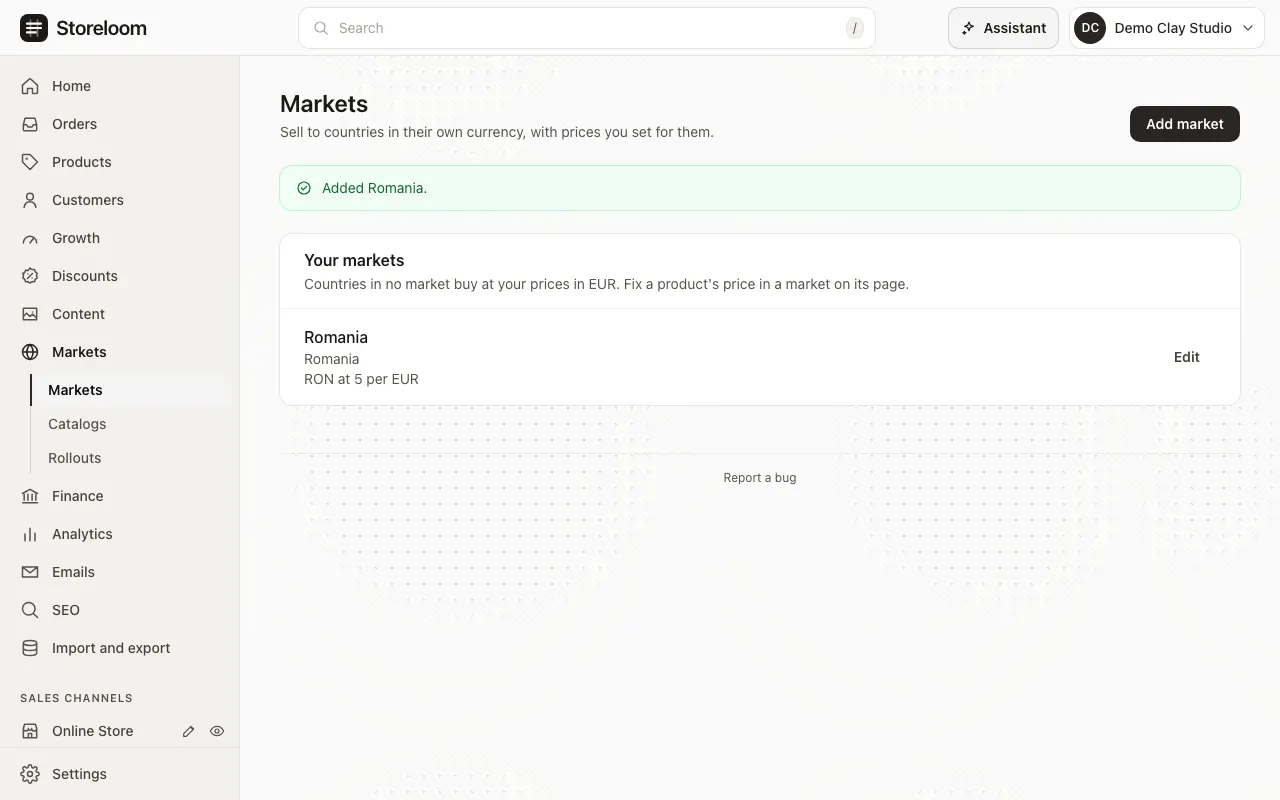
The Markets page of a demo store with a Romania market added, in lei, beside the store’s own market.
Storeloom admin, demo store with sample data

Everything else in the admin, and how each feature is labelled

Also in the same admin

The jobs a store does every week, each with the same labels.

  • Visits and sales you can trust, without tracking cookies

    Available

    Storeloom counts storefront visits itself, without cookies, and puts them next to your sales: sessions, visitors, orders and checkout conversion for any period.

    • Live visitors, sessions and page views
    • Top products, landing pages and the checkout funnel

    In the docs: Analytics

  • Search engines see what shoppers see

    Available

    Titles and descriptions you can edit on every page, structured data that matches what the page shows, and an overview that finds what each product is missing.

    • An overview that leads to each fix
    • Redirects from old addresses after a move

    In the docs: SEO

  • Reviews from people who bought

    Available

    Buyers review what they received and can add photos. You publish, reply or switch reviews off, and review requests go only to buyers who agreed to hear from you.

    • Photos stay private until the review is published

    In the docs: Reviews

  • Order and account emails you can edit

    Beta: delivery needs an email provider

    Order confirmations, shipping updates, refunds and reminders for checkouts left behind, each edited beside its preview. Sending them to inboxes needs an email provider, which is not connected yet.

    • Edit as HTML beside a live preview

    In the docs: Emails

  • Apps that reach only what you allow

    Available

    Every app is reviewed before stores can install it. You see what an app can read before installing; it hears only of the changes that access covers, and every event is signed.

    • Meta measures only visitors who accept
    • A headless API and signed webhooks for your own frontend

    In the docs: Apps

How your store is protected

What Storeloom does today. Plans such as where the servers will run are not listed until they are done.

  • Each store’s data is kept apart

    The database itself returns only the current store’s rows, and tests check that another store’s data stays out of reach.

  • Roles, and a record of who changed what

    Owners, admins, staff and designers each get what their work needs, and changes are written to an activity log that cannot be rewritten.

  • Apps reach only what you grant

    An app reads only the store that installed it and only the access it was given, and loses it when removed.

  • Customers’ data on request

    Download everything the store holds about a customer as one file, kept for 48 hours and never emailed, and tell installed apps to send or erase their copy.

  • Passkeys for signing in

    Sign in with a passkey on your phone or computer instead of a password.

Two ways to start

Storeloom is in beta. Plans and their prices are being set. See pricing

  • Start a new store

    Create an account, name your store and add products. The default theme is ready to edit.

    Create your store
  • Bring your store over

    Create an account and upload an export from your current platform. Nothing is imported until you start, and the whole import can be undone.

    Create a store to import into